
FiveM development has evolved significantly over the years. In 2026, creating scripts is more streamlined, but the core fundamentals remain the same. This guide will walk you through exactly how to set up your environment, understand the client-server architecture, and write your very first resource.
Setting Up Your Development Environment
Before writing any code, you need the right tools. Do not use Notepad. You need a proper Integrated Development Environment (IDE).
1. Download Visual Studio Code
Visual Studio Code (VS Code) is the industry standard. It's free, lightweight, and supports powerful extensions.
2. Essential VS Code Extensions
Once VS Code is installed, go to the Extensions tab (Ctrl+Shift+X) and install these:
- Lua by sumneko: This provides syntax highlighting, formatting, and intelligent auto-completion for the Lua language.
- FiveM Lua Natives (by dsheirer): This is absolutely crucial. It gives you auto-complete for all of GTA V's native functions directly inside VS Code.
Understanding FiveM Architecture
FiveM operates on a strict Client-Server architecture. Understanding where your code runs is the most important concept to grasp.
Client-Side (client.lua)
Client-side code runs directly on the player's computer.
- What it does: Draws 3D text, handles UI (menus, HUD), detects key presses (e.g., pressing 'E' to interact), and manipulates local entities (like changing a car's color).
- Limitations: It cannot directly alter the database or see other players' private data. It must never be trusted.
Server-Side (server.lua)
Server-side code runs on your VPS or Dedicated Server.
- What it does: Connects to the SQL database, handles economy (giving/taking money), synchronizes weather/time, and validates actions (checking if a player actually has the item they are trying to use).
- Security: Server code is secure. Hackers cannot see or modify your
server.luafiles.
Your First Script: A Simple Chat Command
Let's create a script that heals the player when they type /heal.
1. Resource Structure
Navigate to your server's resources folder and create a new folder called my_first_script. Inside it, create two files:
fxmanifest.lua
This file tells the server how to load your script.
fx_version 'cerulean'
game 'gta5'

author 'Your Name'
description 'A simple healing script'

client_script 'client.lua'
client.lua
Here is the actual logic.
RegisterCommand('heal', function(source, args, rawCommand)
    local playerPed = PlayerPedId() -- Gets the player's character
    SetEntityHealth(playerPed, 200) -- 200 is full health in GTA V

    -- Send a message to the player
    TriggerEvent('chat:addMessage', {
        color = {0, 255, 0},
        multiline = true,
        args = {"System", "You have been healed!"}
    })
end, false)
2. Starting the Script
Open your server.cfg file and add the following line at the bottom:
ensure my_first_script
Restart your server, join the game, and type /heal!
Using the FiveM Native Reference
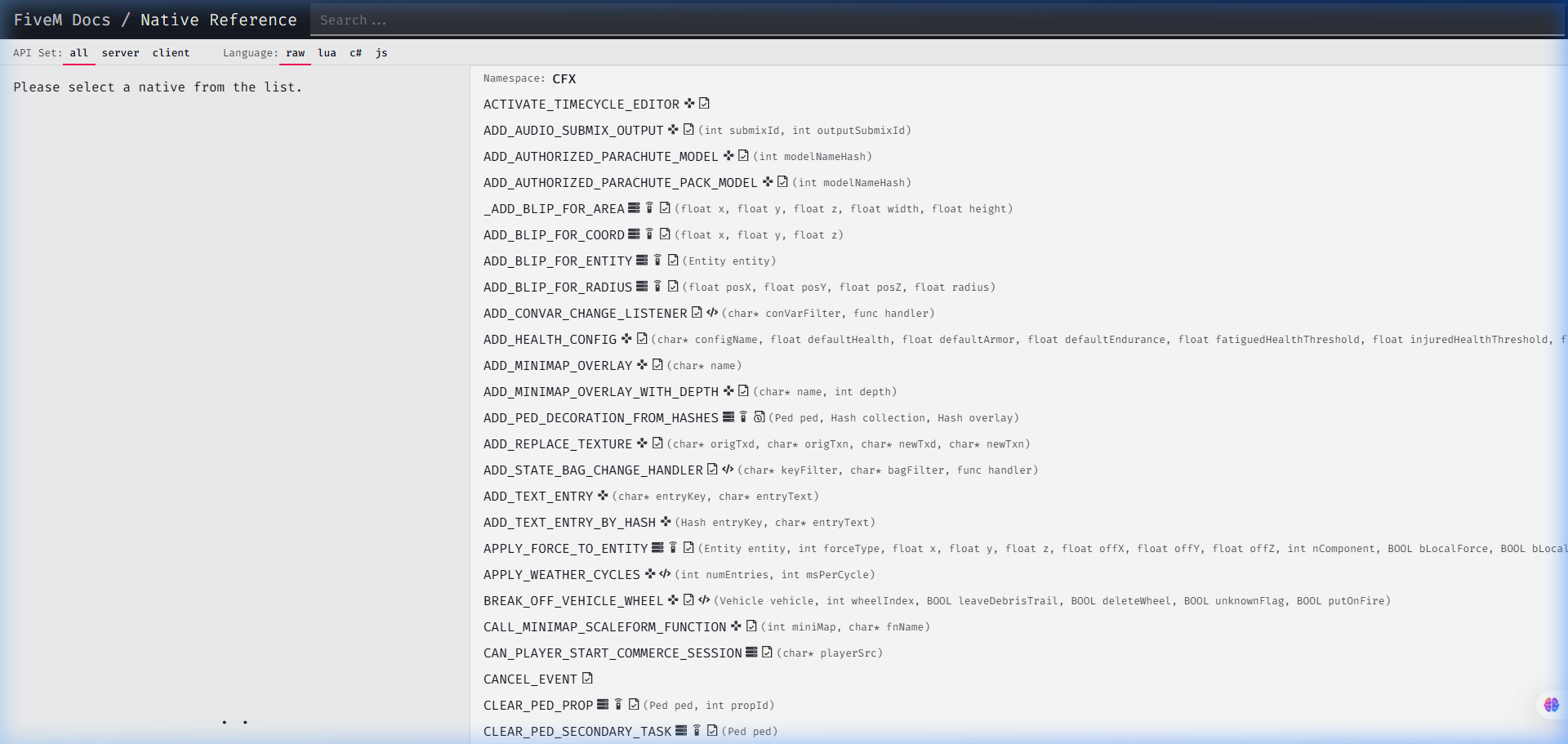
You will spend a lot of time reading the documentation. The FiveM Native Reference contains every function built into the game.
How to Read a Native
Let's look at SET_VEHICLE_DOORS_LOCKED.
- The documentation will show:
void SET_VEHICLE_DOORS_LOCKED(Vehicle vehicle, int doorLockStatus) - In Lua, this translates to:
SetVehicleDoorsLocked(vehicleEntity, 2)(where 2 means locked).
Whenever you want to do something in the game world, search the Native Reference first.
Conclusion
Developing for FiveM is a journey of reading documentation and testing. Start by modifying open-source scripts before building complex systems. And remember, when you're ready to host your creations, ensure you have a high-performance VPS from Stockhosting to eliminate testing latency.